Scheduling Messages
Scheduling Messages
Schedule routine messages with ACM Messenger.
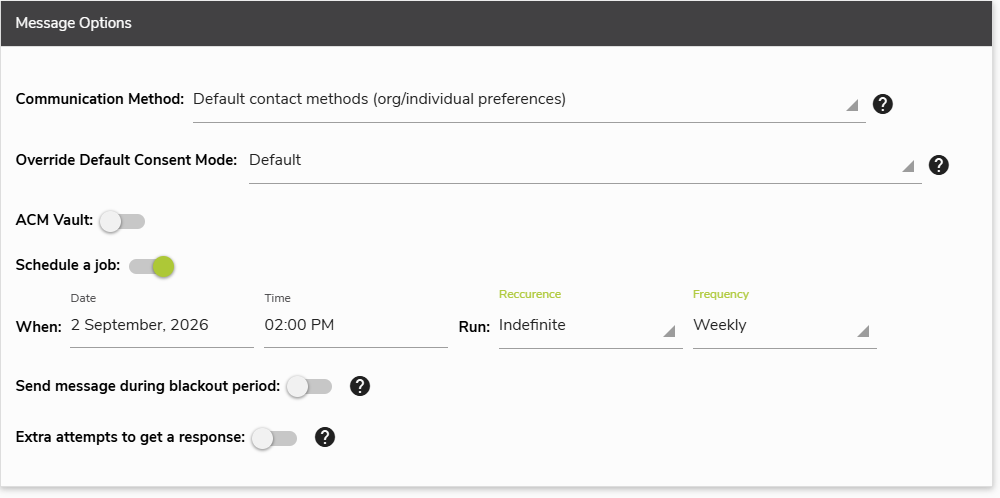
After determining audience as seen in Filtering Your Audience By Status, messages can be scheduled based on date and time, and set to repeat messages at a tailored recurrence and frequency:
Scheduling Messages:
- In Message Options, Toggle the option for Schedule a job.
- Set the Date and Time.
- Set the Recurrence.
- If there is recurrence, set the Frequency.
- Click Apply
Now your message is scheduled to send at the tailored date and time of your choosing, and when it should automatically send again.