First Login Experience
First Login Experience
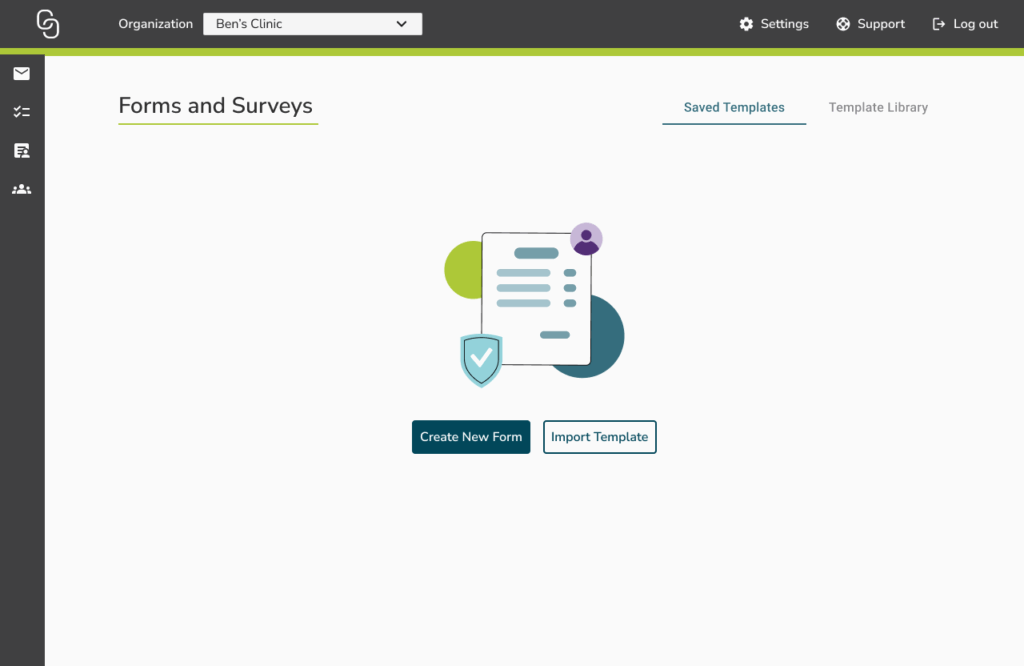
When a user logs in to ACS Forms and Surveys for the first time at a new organization or location, they will see an empty state. From here, they can choose how to begin building their forms:
- Create a New Form
- Import a Template
If someone from your organization or location has already imported or created templates, you will see the available templates listed.
Option 1: Import a Template
If you select Import, the Template Library will open.
- You’ll see a list of available templates provided.
- Browse the options and select the template you’d like to use.
- Once imported, the form will appear under Saved Templates for editing or publishing.
✅ Best for: quickly getting started with prebuilt forms.
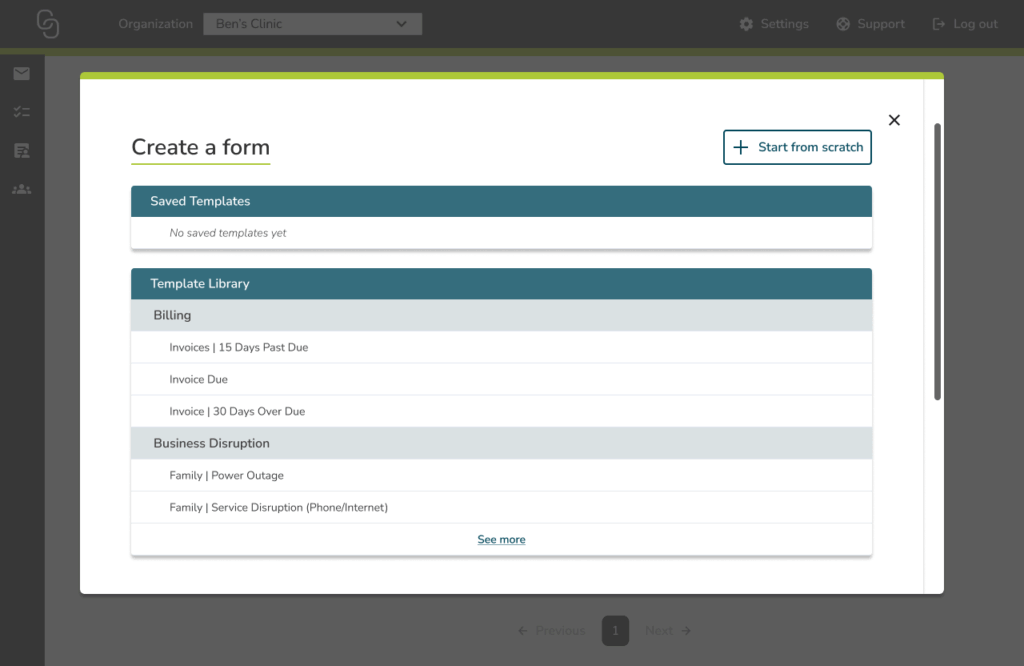
Option 2: Create a New Form
If you select Create a New Form:
- Click + Start From Scratch.
- The Form Editor will open, where you can use the drag-and-drop builder to design your form.
- Because this is your first login, you will not see anything under Saved Templates — forms only appear there once you have created or imported them.
✅ Best for: custom workflows or organization-specific needs.