Navigating Settings in ACP
Navigating Settings in ACP
Configure Automated Care Platform to match your workflow. Learn how to update account details and fine-tune your configuration options to ensure ACP runs exactly as intended.
Access to settings depends on your assigned user role:
- Organizational Settings Can access and manage Organizational Settings
- Managers: Can access and manage Onboarding Requirements.
- Users: Can access and manage Account Settings.
Step 1: Organizational Settings
Navigate to Header >Settings to:
- Edit consent settings
- Update default consent behaviour
- Change the default consent message
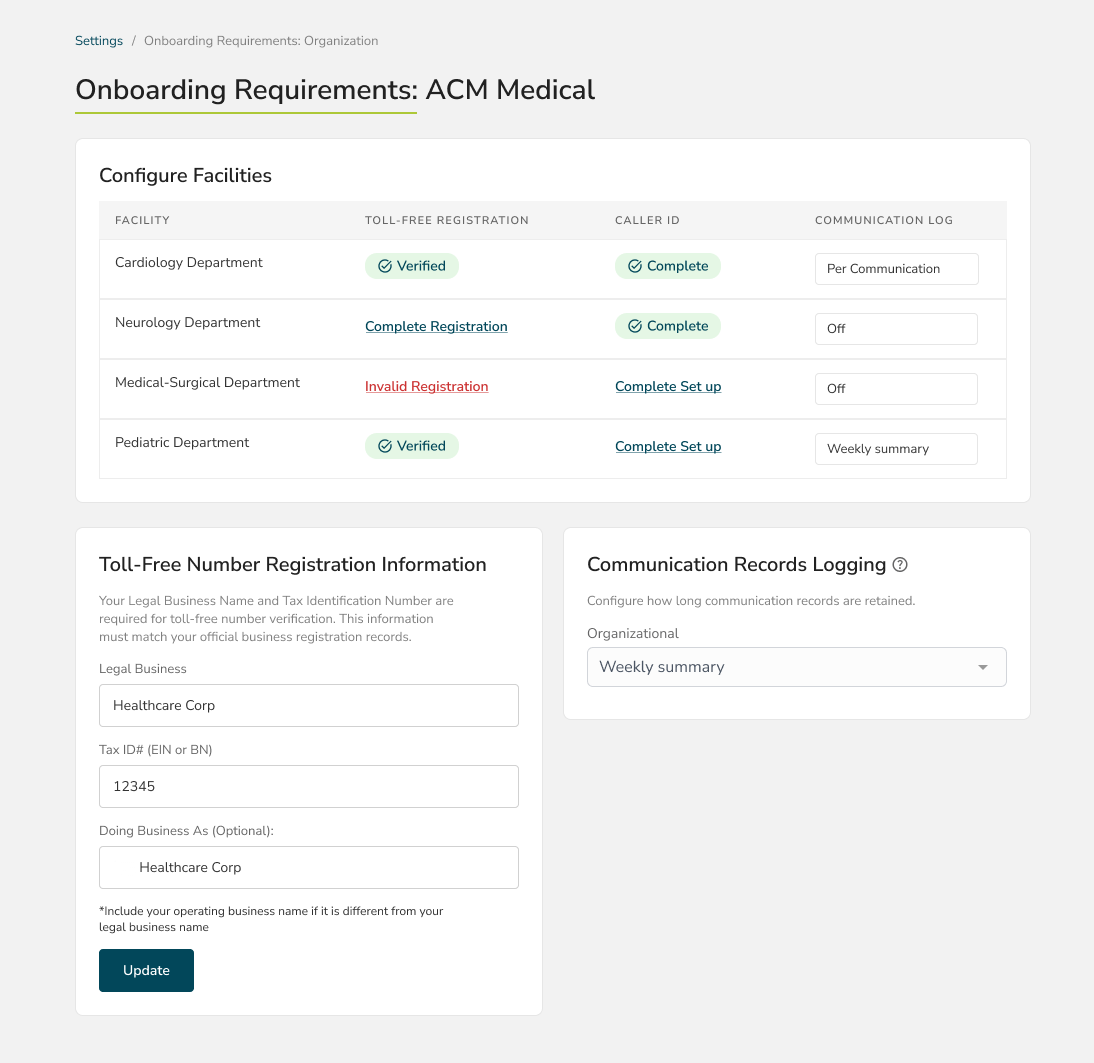
Navigate to Header>Settings>Onboarding Requirements to:
- Configure facility settings
- Complete toll-free number registration
- Configure communication record logging settings
Step 2: Account Settings
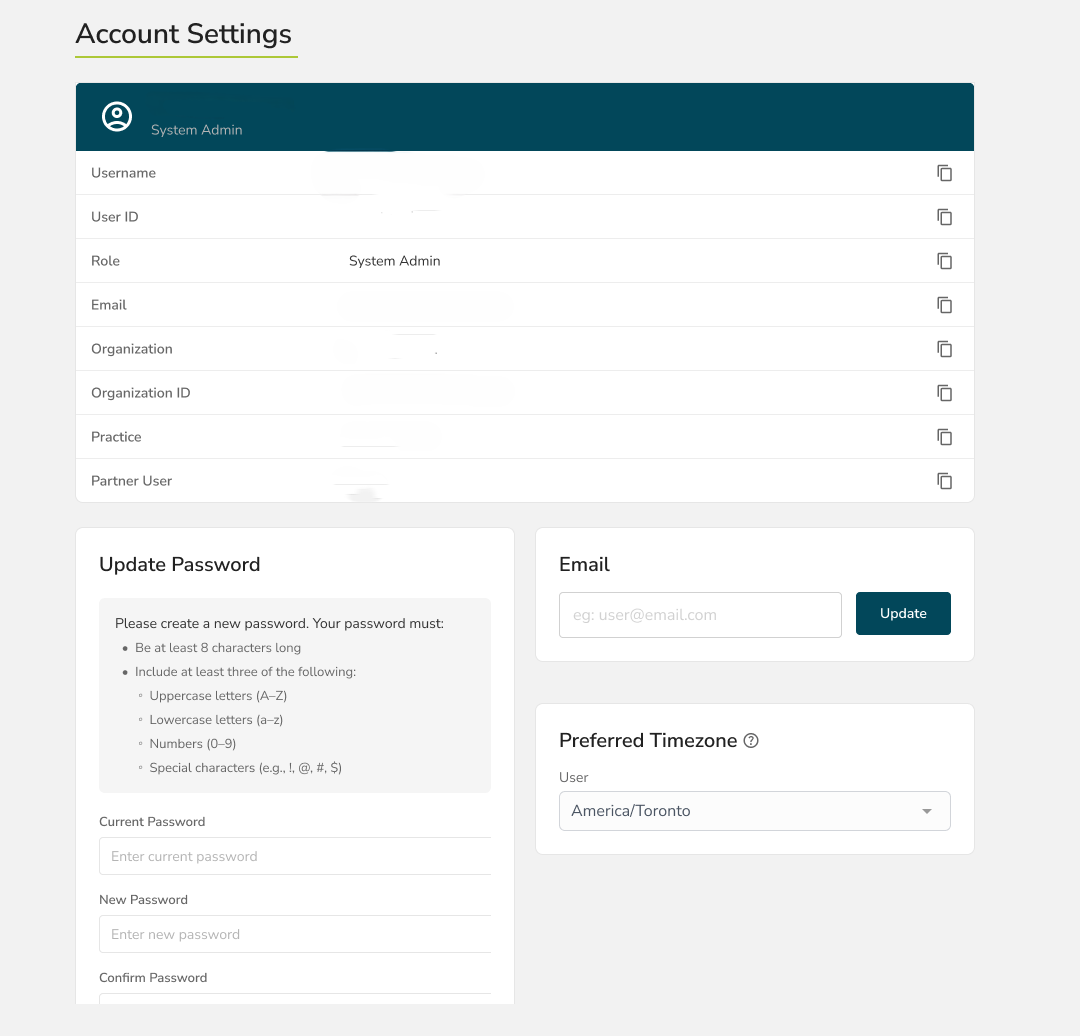
Navigate to Header>Settings>Account to:
- Edit user email
- Select a timezone
- Change or update passwords